NordVPN free trial
A clear guide to whether NordVPN offers a free trial, how to access it, and solid alternatives if a free trial isn’t available.
the article body in Markdown
NordVPN is one of the most popular VPN services, known for strong security, fast connections, and a broad network. When people ask about a NordVPN free trial, they’re usually hoping to test the service before paying. The straightforward answer is a bit nuanced: NordVPN does not typically offer a traditional, always-available free trial. Instead, you have a solid risk-free path through their refund policy, plus occasional promotional options. Below, you’ll find what to expect, how to test NordVPN risk-free, and practical alternatives if you specifically need a free trial.
Do NordVPN offer a free trial?
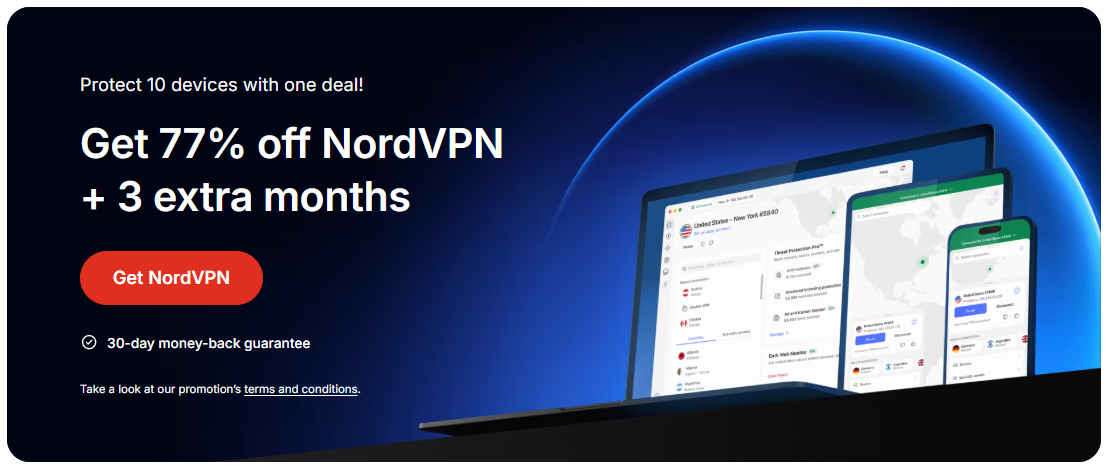
NordVPN does not commonly run a standard, unlimited free trial that lets you use the service for a set period without paying. The company’s primary risk-free option is a 30-day money-back guarantee on all subscription plans. This means you can subscribe, test the full service, and if you’re not satisfied within 30 days, you can cancel and receive a full refund.
However, there are a few important nuances:
- Availability can vary by region and payment method. Some users report confusion about eligibility during certain promotions.
- The 30-day window is tied to the purchase date, not the first impression. If you buy, set a reminder to cancel if you’re not ready to commit.
- The policy generally applies to standard plans. Always read the current terms on NordVPN’s official site for any exceptions or changes.
If you’re specifically looking for a no-cost trial, NordVPN’s standard approach is not designed around a guaranteed free trial, but the refund policy achieves the same objective: risk-free testing.
How to test NordVPN risk-free with the 30-day money-back guarantee
If you want to try NordVPN without a long-term commitment, follow these steps to maximize your risk-free test:
- Choose a plan with the lowest upfront cost. It’s often the annual plan that offers the best price, but the refund policy applies to most plans.
- Subscribe using your preferred payment method. Ensure you receive a welcome email and your account is activated.
- Use the service for up to 30 days. Test key features: multiple server locations, speed across different protocols (OpenVPN, WireGuard), streaming access, and torrenting if relevant.
- Track usage and performance. Note connection stability, app experience on your devices, and any geo-blocked content you need unblocked.
- Request a refund if it doesn’t meet your needs. Contact NordVPN support via chat or email, and follow the refund process as guided by their policy. The refund is typically processed to your original payment method.
Tips to make the most of the refund window: VyprVPN deal
- Don’t hesitate to reach out to support early if you encounter issues. They can help you troubleshoot, which might influence your decision.
- Test across devices. NordVPN supports Windows, macOS, Android, iOS, Linux, and browser extensions. Make sure the experience is consistent on each.
- Check streaming and P2P support. If your use case includes streaming shows or torrenting, verify that those activities work smoothly on the servers you intend to use.
What features matter most when evaluating NordVPN
To decide if NordVPN is the right pick during your risk-free test, focus on features that affect your daily use. Here’s a quick checklist:
- Security and privacy: Military-grade AES-256 encryption, strict no-logs policy, CyberSec for ad and malware blocking, and kill switch (system-wide and app-level).
- Speed and reliability: Fast protocols (WireGuard, OpenVPN), large server network, and stable connections suitable for gaming, streaming, or remote work.
- Geolocation access: Ability to bypass geo-restrictions for streaming services and region-limited content.
- Simultaneous connections: The number of devices you can protect at once (NordVPN typically supports multiple concurrent connections).
- Platform support and ease of use: Native apps for major platforms plus browser extensions, with a user-friendly interface.
- Customer support: 24/7 live chat and a robust knowledge base for quick self-help.
Alternatives to a free NordVPN trial
If your goal is a truly free trial, NordVPN may not meet that exact need. Here are practical alternatives to consider:
- Other VPNs with free trials: Some providers offer shorter, time-limited trials or limited free plans. Be sure to verify terms, data caps, and any payment requirements after the trial ends.
- Freemium VPN options: A few services offer free plans with restricted bandwidth or server choices. These are useful for basic testing but may not match the performance of paid services.
- Extended refund windows from competitors: Certain VPNs may offer longer trial periods or satisfaction guarantees, so compare options if you’re exploring beyond NordVPN.
- Bundled promotions and student discounts: Some regions or promotions provide discounted or bundled pricing that effectively lowers the cost of a trial experience.
When evaluating alternatives, keep in mind:
- Data limits and server access on free plans.
- Privacy and logging policies of free services, which are often less robust than paid offerings.
- Speed and reliability, which can be significantly reduced on limited plans.
A quick comparison: NordVPN refund policy vs. typical free trials
To help you see where NordVPN stands relative to other models, here’s a concise comparison in a table-like summary (text format):
Model: Free trial Hide.me deal: what to know and how to get the best value
NordVPN: Not a standard, ongoing free trial. Relies on 30-day money-back guarantee
Typical free trials: Time-bound usage without charge, may require credit card or not
Pros: Risk-free for up to 30 days if you cancel. No commitment if you cancel
Cons: Not a true free trial (hidden costs or refund friction can exist). Regional limitations
Model: Money-back guarantee PrivadoVPN deal: how to grab the best discounts and whether it’s worth buying now
NordVPN: 30 days on most plans
Pros: You can test for a full month. Straightforward refund process
Cons: You must remember to cancel. Refund processing times vary
Model: Free/limited plan
NordVPN: Not a standard option Astrill VPN deal: what it is, where to find it, and how to get the most value
Pros: Completely free usage with no upfront payment
Cons: Very limited features, fewer servers, slower speeds, potential privacy concerns
If you’re evaluating options, this quick mental model helps you decide whether you want a true free trial, a money-back guarantee, or a discounted paid plan.
How to maximize value during a NordVPN test period
- Focus on your primary use case. If your goal is streaming, test service access to the platforms you watch, resolution options, and buffering experiences. If security is your priority, test kill switch behavior, app privacy, and leaks protection.
- Test on your real devices. Install on the devices you use most and verify that the client works seamlessly across those environments.
- Check for feature parity across platforms. Some features may be available on desktop but not mobile, or vice versa.
- Monitor latency and jitter. If you game or do real-time work, you’ll want to ensure your VPN doesn’t introduce unacceptable lag.
- Evaluate customer support responsiveness. A reliable VPN should respond quickly with clear guidance when you have questions.
Should you buy NordVPN after testing?
If you’ve exhausted the 30-day money-back test and still want to use NordVPN, consider a longer-term plan if you’re comfortable with the price and features. NordVPN frequently runs promotions, student discounts, or multi-year deals that improve value. Before committing:
- Compare current pricing and promotions on NordVPN’s official site.
- Re-check your usage and the value you’ve received during the test period.
- Ensure your devices are compatible and that you’re prepared to manage renewals and charges.
If you decide to proceed, you’ll typically get: ZoogVPN deal: what you need to know for the best price and features
- A reasonable price per month with the best savings on longer commitments.
- Access to the full complement of security features, server locations, and customer support.
- The benefit of the same 30-day window if you choose to switch between plans (verify terms at purchase).
Recommendation
If your top priority is a risk-free way to evaluate a premium VPN, start with NordVPN’s 30-day money-back guarantee. It gives you a full month to assess performance, streaming capabilities, multi-device support, and customer service. If you’re strictly seeking a no-cost option, be aware NordVPN doesn’t offer a standard free trial, though occasional promotions and refunds provide a comparable risk-free testing path. For ongoing usage beyond the test period, consider whether NordVPN’s current promotions align with your budget and needs, or explore other reputable VPNs with genuine free trials or longer-term discounts that fit your use case.
| VPN | From / month | Plan | Free plan | Refund | Alipay | UnionPay | Crypto | Website opens in China | Trustpilot | |
|---|---|---|---|---|---|---|---|---|---|---|
 NordVPN | $3.49/mo | 27 months: $94.23 | No | 30 days | ? | ✗ | ✓ | ✓ | ✗ Blocked | 4.2/5 (51,628 reviews) |
 ZoogVPN | $2.49/mo | 27 months: $59.99 | Yes | 7 days | ✓ | ✓ | ✓ | ✓ | ✓ Yes (2.5 s) | 4.2/5 (195 reviews) |
 ExpressVPN | $3.00/mo | 28 months: $84 | No | 30 days | ✗ | ✗ | ✓ | ✗ | ✗ Blocked | 4.4/5 (29,706 reviews) |
 Surfshark | See site | See site | No | 30 days | ✗ | ✗ | ✗ | ✓ | ✗ Blocked | 4.3/5 (31,823 reviews) |
 Proton VPN | $2.99/mo | 12 months: $35.88 | Yes | 30 days | ✗ | ✗ | ✗ | ✓ | ✓ Yes (2.5 s) | 2.1/5 (1,040 reviews) |
 Astrill VPN | $12.50/mo | 24 months: $300 | No | See site | ✗ | ✗ | ✗ | ✓ | ✗ Blocked | 1.3/5 (110 reviews) |
 Private Internet Access | $2.03/mo | 40 months: $81.2 | No | 30 days | ✗ | ✗ | ✗ | ✗ | ✗ Blocked | 4.2/5 (11,033 reviews) |
 CyberGhost | $2.19/mo | 28 months: $61.32 | No | 45 days | ✗ | ✗ | ✗ | ✓ | ✗ Blocked | 4.0/5 (24,178 reviews) |
 PureVPN | $1.69/mo | 60 months: $101.55 | No | 31 days | ? | ✗ | ✗ | ✓ | ✓ Yes (2.6 s) | 4.4/5 (17,994 reviews) |
 AdGuard VPN | $2.99/mo | 24 months: $71.76 | Yes | 30 days | ✓ | ✗ | ✓ | ✓ | Official site blocked; our special link opens (2.3 s) | 4.3/5 (290 reviews) |
 Mullvad | $5.61/mo | €5/mo | No | 14 days | ✗ | ✗ | ✗ | ✓ | ✗ Blocked | 3.2/5 (192 reviews) |
 Windscribe | $5.75/mo | 12 months: $69 | Yes | See site | ✗ | ✗ | ✗ | ✓ | ✗ Blocked | 4.7/5 (13,355 reviews) |
 StrongVPN | See site | See site | No | 30 days | ✓ | ✗ | ✗ | ✗ | ✗ Blocked | 4.4/5 (2,695 reviews) |
 LightXtreme 闪连 | $7.08/mo | 12 months: $84.99 | Yes | 30 days | ✓ | ✓ | ✓ | ✓ | ✓ Yes (2.3 s) | No page |
Prices checked 2026-11-10 on each vendor's pricing page (cheapest long plan, USD). Check the vendor's checkout for the final price.
Payment methods checked 2026-11-10 on each vendor's payment pages: all 14 take cards and PayPal; ✗ = not listed, ? = the vendor's own pages disagree.
China access: whether the official website opens from mainland China networks (tests the website only, not the VPN connection). Last checked 2026-11-11 04:07 Beijing time.
Trustpilot score and review count checked 2026-11-10.

Nicolas Pena has been writing about consumer technology since 2018, with bylines covering secure messaging, VPN performance, and streaming geo-unblocking. Approaches each review by setting up the product the same way a typical reader would and recording every snag along the way.